Defend Bunker from Zombies Updates & Patch Tracker Hub
How to follow Bunker Corp! changes, promo codes, and community verification after every Roblox update.
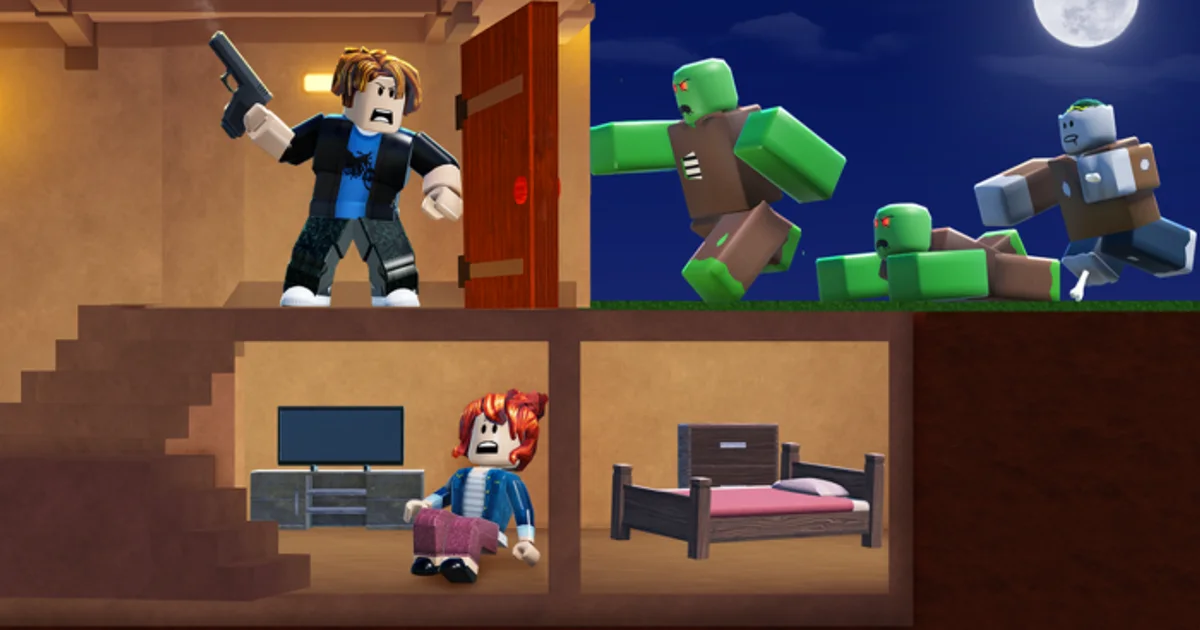
Defend Bunker from Zombies updates frequently for a Roblox survival experience — balance passes, new zombies, code campaigns, UI tweaks, and event nights land without long warning. This Updates Hub explains how to track patches, what to refresh on the wiki, and where official news beats rumor. Bunker Corp! does not always publish Steam-style patch notes; community Discord often breaks news first.
Start with the dated August 2026 Update snapshot for current codes, daily quests, and growth stats. Use Discord News for announcement habits, then cross-update Codes Hub, Tier List Hub, and Guides Hub when mechanics shift.
Why updates matter for wiki readers
Every patch can change:
- Shard earn rates and class pricing — invalidating unlock advice
- Medic healing, Engineer turret stats, Astronaut scaling — reshuffling Class Tier List
- Code strings — old videos show expired promos
- Fuel and food consumption — breaking checklist thresholds on Survival Checklist
- Anti-cheat or kick logic — relevant if players ask about Scripts Hub
Assume tier opinions and code lists are snapshots until confirmed post-patch.
Official and community news channels
| Channel | What you get | Action after reading |
|---|---|---|
| Roblox experience page | Description edits, occasional update blurbs | Rejoin to download client build |
| Official Discord (Links) | Codes, sneak peeks, player reports | Read Discord News guide |
| This wiki Updates section | Curated summaries + links | Refresh related guides |
| Creator social posts | Teasers, downtime notices | Verify in-game before spreading |
Avoid random TikTok “secret update” clips without patch date overlays.
Patch tracking workflow
Follow this loop whenever the game feels different:
- Notice symptoms — sudden wipes, new UI buttons, rejected codes, class feeling weak
- Check Roblox version — rejoin from Defend Bunker from Zombies game page
- Scan Discord announcements — pinned messages in official server
- Test one controlled night — solo or trusted squad, not public chaos
- Update personal notes — checklist thresholds, class pick order
- Refresh wiki pages — we run
npm run syncafter confirming facts
Document discrepancies politely on Discord so moderators can confirm bugs vs intentional nerfs.
What to refresh after major patches
Always re-check:
- Codes Hub — new or expired promos
- Class Tier List — community opinions lag 48–72 hours
- Beginner Picks — healing/turret tweaks hit new players hardest
- Survival Checklist — economy numbers
Re-check if patch notes mention:
- New classes or Shard pricing
- Co-op scaling (Co-op Tips)
- Script detection (Safety Tips)
Codes and update events
Developers often tie codes to milestones — UPDATE_01-style strings appear around patches. As of August 2026, UPDATE_01 (100 Shards) and FREEPOTIONS (3× X2 + 3× X3 Shard potions) were still redeemable on the live build via the Shop codes box or top Codes button. Our Codes Hub embeds a verified July 2026 video walkthrough (WdGP_kTyPdg) showing both strings — use it if you prefer visual steps. Redeem quickly via How to Redeem steps; expired codes fail even if older videos still show them. Track new drops on How to Get More Codes and Discord News — official Discord (https://discord.com/invite/T6zXPpu94m) announcements precede wiki updates by hours.
Version confusion and rollback rumors
Players sometimes insist “they nerfed X” when actually:
- Client desync — rejoin fixes damage numbers
- Private server outdated — host must update place
- Place ID mismatch — confirm 134361906638337
Only trust comparisons recorded after same-day rejoin on live servers.
How this wiki publishes update content
We add child pages for large patches when mechanics are verified — not every hotfix gets a standalone article. Hub pages absorb minor notes to avoid sitemap noise per wiki policy. Featured home modules surface timely pages when _featured flags are set during content generation.
Contributors should edit JSON sources, never hand-modify generated MDX.
Player reporting etiquette
When posting about updates:
- Include platform (PC/mobile), night number, and class used
- Avoid unverified datamine numbers
- Link official Discord messages when possible
- Do not share exploit details — use Scripts Hub policy
Good reports accelerate wiki accuracy; vague “broken game” threads do not.
Related pages
- August 2026 Update — Mid-month live-build snapshot
- Discord News — Announcement tracking guide
- Codes Hub — Promo strings after patches
- Tier List Hub — Meta shifts
- Links Hub — Official Roblox + Discord
- Guides Hub — Mechanic rewrites post-patch
Frequently Asked Questions
Quick answers to the most common questions.
Where do Defend Bunker from Zombies patches get announced first?
Often the official Discord and Roblox experience description. Join Discord via the Links Hub for fastest code and balance news.
How fast should I re-check tier lists after an update?
Wait 48–72 hours for community testing, then read the Class Tier List page. Hotfixes may need same-day rechecks.
Why did my code stop working after a patch?
Developers expire promos during updates. See the Codes Hub for current strings, How to Get More Codes for Discord tracking, and Discord News for announcements.
Does this wiki mirror every hotfix?
No. Major mechanics get detailed notes; tiny bug fixes may only appear in hub summaries after verification.
How do I report a patch bug responsibly?
Post details on official Discord with platform and steps. Avoid sharing exploit reproduction — use Scripts Hub safety guidance.