Guides & Walkthroughs for Defend Bunker from Zombies
Master the day loot / night waves loop, bunker crafting, and squad survival on Roblox.
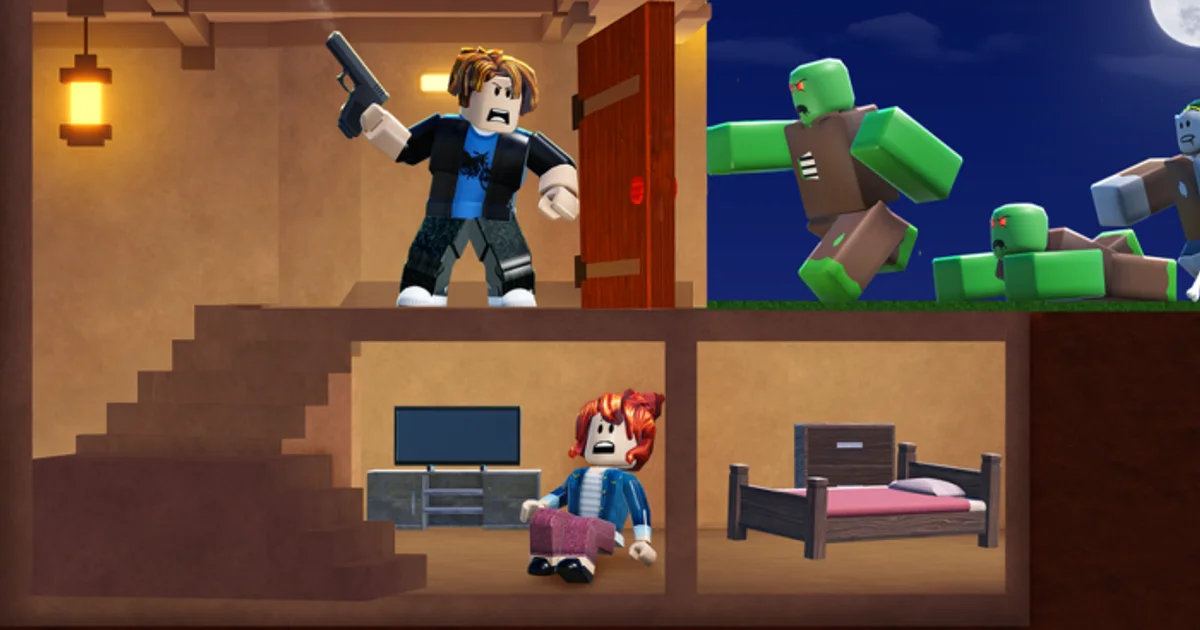
Defend Bunker from Zombies is a Roblox survival bunker defense game by Bunker Corp! where players loot during the day, fortify a shared bunker, and survive escalating zombie waves at night. Whether you are solo or in online multiplayer, success depends on managing wood, food/hunger, and fuel/power while crafting walls, traps, and farms — then assigning rescued survivors to keep production running between assaults.
This Guides Hub collects every in-depth walkthrough on the wiki. Start with Getting Started if it is your first session; veterans can jump to the topic they are struggling with most.
Recommended reading order
- Getting Started — first-hour checklist, classes overview, redeem Codes for free Shards
- Controls Guide — PC and mobile bindings, combat and build inputs
- Resource Management — wood, food, fuel, and hunger math
- Base Building — walls, traps, farms, and power layout
- Survivors Guide — rescue, train, and assign NPC helpers
- How to Survive — night wave tactics and squad roles
- Map and Loot — daytime routes, rare loot timing, return before night
- Shop and Weapons — Shards, cash from kills, when to spend vs save
- High Day Survival — scaling nights, economy snowball, late wipe causes
- Game Review — honest Roblox review and STZ naming note
- Fuel and Power — generator fuel, blackouts, night triage
- Common Mistakes — top wipe causes and quick fixes
- Daily Quests — finish dailies without sabotaging dusk prep
- Bosses and Elites — bruiser nights, key bosses, callouts
- Bunker Rooms — farms, medical, mining, oil, boost machines
- Gamepasses — Limited Passes vs free Shard unlocks
Each guide targets 600+ words of actionable detail — no filler — with cross-links so you never hit a dead end.
Core gameplay loop (hub summary)
Understanding the loop helps you pick the right guide:
Day phase: Leave the bunker (or send specialists) to scavenge loot nodes, rescue survivors, and gather wood for construction. Daylight is relatively safer — use it to fix mistakes from the previous night and expand crafting capacity.
Night phase: Zombies attack in waves. Defenses you built — walls, traps, turrets depending on unlocks — absorb damage while players focus fire on elites. Hunger and power drain during long nights; running out mid-wave is a common wipe cause covered in Resource Management.
Meta phase: Between runs or in menu hubs, spend Shards from the Shop (boost with Codes like UPDATE_01 and FREEPOTIONS) on classes and permanent upgrades. Community tier discussions mention Medic, Falcon, Zeus, Engineer, Astronaut, Soldier, Pyro, and Rocketeer — see Tier List for rankings with caveats.
Guides by player goal
| Your goal | Start here |
|---|---|
| First time launching the Roblox experience | Getting Started |
| Dying every night around wave 5+ | How to Survive |
| Starving or losing power mid-defense | Resource Management |
| Zombies walk through your layout | Base Building |
| Slow crafting / no passive income | Survivors Guide |
| Missing shots, bad build placement | Controls Guide |
| Pushing day ten+ streaks | High Day Survival |
| Day loot routes and rare nodes | Map and Loot |
| Shop, weapons, Shard spending | Shop and Weapons |
| Deciding if the game is for you | Game Review |
| Generators dying mid-wave | Fuel and Power |
| Repeating the same wipe cause | Common Mistakes |
| Finishing daily quests safely | Daily Quests |
| Elite and boss nights | Bosses and Elites |
| Expanding bunker rooms | Bunker Rooms |
| Robux Limited Passes | Gamepasses |
Multiplayer coordination
Squads share a bunker space on many servers — communication wins nights. Split daytime loot routes to cover more ground, designate a builder for Base Building, and keep one player on hunger/fuel maintenance before dusk. Potions from promo codes are personal; time activations together for maximum Shard farming efficiency after difficult waves.
If your group is new, one player should read Getting Started aloud while others skim Controls — alignment beats individual skill when waves spawn from multiple angles.
What these guides deliberately exclude
Script exploits and unauthorized automation are not covered — they risk bans and ruin multiplayer trust. Official updates and patch notes live on Updates. Raw class tier debates stay on Tier List so mechanic guides stay factual.
For codes and Discord announcements, use Codes Hub and Links.
Stay current after patches
Bunker Corp! ships balance changes to wave density, class kits, and crafting costs. When Updates notes a patch, re-read the guide tied to that system — a wall HP buff matters less if trap costs doubled overnight.
Bookmark this hub and work through guides in order once; afterward, treat it as a reference index whenever a new mechanic appears in patch notes.
All guides at a glance
- Getting Started — onboarding, video walkthrough, first Shards
- Controls Guide — input reference for combat and construction
- Resource Management — economy and hunger/power balance
- Base Building — defensive layouts and crafting priority
- Survivors Guide — rescue chains and training efficiency
- How to Survive — wave knowledge and role assignments
- Map and Loot — exploration routes and return timing
- Shop and Weapons — economy, weapons, Shards vs cash
- High Day Survival — long streak discipline
- Game Review — Roblox review and who should play
- Fuel and Power — generator fuel and blackout prevention
- Common Mistakes — hunger, fuel, traps, codes, and class errors
- Daily Quests — daily objectives without dusk greed
- Bosses and Elites — special undead and boss nights
- Bunker Rooms — farms, medical, mining, boost machines
- Gamepasses — Limited Passes and Starter Pack context
- Revive Station — recover teammates and key NPCs
- Airdrops and Events — crates without dusk greed
Frequently Asked Questions
Quick answers to the most common questions.
Which guide should I read first in Defend Bunker from Zombies?
Start with Getting Started for the full day-night overview, then Controls if you struggle with input. Pick specialized guides when a specific system kills your run.
Do these guides cover multiplayer?
Yes. Survival, base building, and resource guides include squad coordination tips because the game supports online multiplayer lobbies.
Where is the video tutorial?
Getting Started embeds a verified YouTube walkthrough covering basics and codes. Other guides are text-only for quick reference mid-run.
How do guides relate to the tier list?
Guides teach mechanics; the tier list summarizes community class opinions. Use both — mechanics first, then pick a class that fits your role.
Are guides updated after Roblox patches?
We revise guides when Updates posts confirm mechanic changes. Check Updates after major patches and revisit the relevant guide section.
Can I skip base building if my squad has a builder?
You still need basics — repair materials, trap triggers, and farm access. Read Base Building even if you are not the primary builder.