Defend Bunker from Zombies Shop, Weapons, and Economy Guide
Spend Shards and in-run cash wisely — classes, guns, and upgrades without bankrupting your bunker.
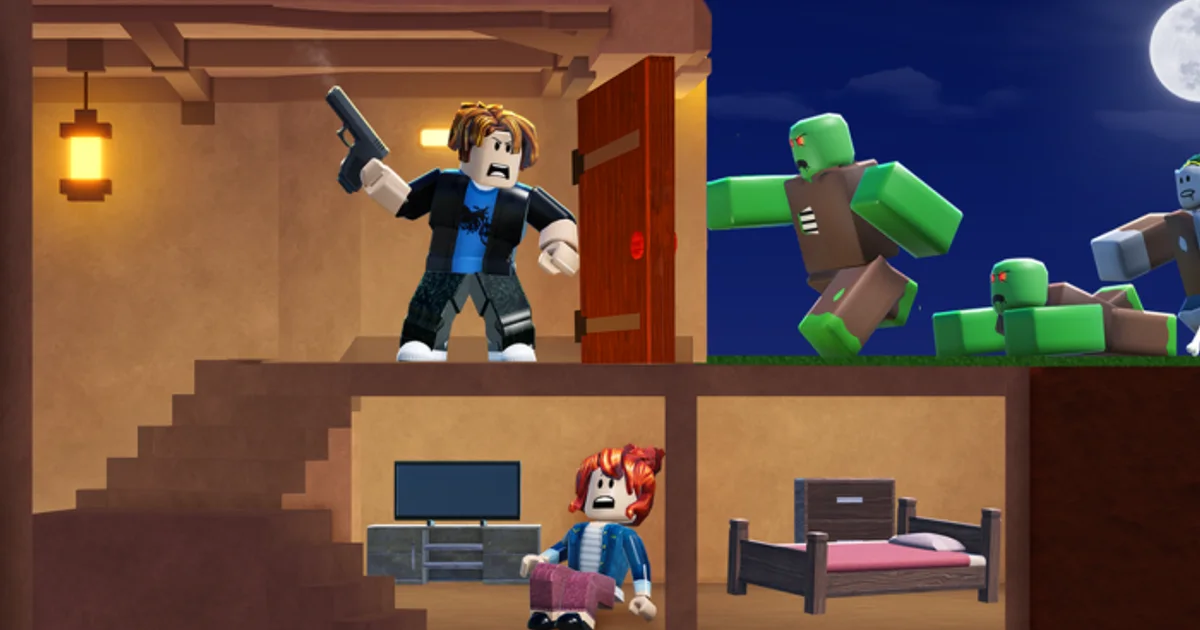
The Shop in Defend Bunker from Zombies — the same Survive the Zombies (STZ) experience published by Bunker Corp! on Roblox — sits at the center of meta progression. In-run you fight with whatever weapons and tools you craft or pick up during daylight; between waves and across sessions you spend Shards, cash from kills, and sometimes Robux on permanent power. This guide explains what the Shop sells, how weapon upgrades interact with night defense, and when to spend versus save so you do not burn UPDATE_01 Shards on cosmetics while walls still leak.
Redeem free currency first on the Codes Hub — UPDATE_01 (100 Shards) and FREEPOTIONS (Shard potions) were still working as of August 2026. New players should pair redemption with Getting Started before major Shop purchases.
Two economies: Shards vs in-run cash
Confusing these currencies is the most common Shop mistake:
Shards — Premium meta currency from codes, potion-boosted play, and Shop-related rewards. Persistent across sessions. Buys class unlocks, permanent upgrades, and quality-of-life items depending on the live build. See Shard Rewards Explained for potion stacking.
Cash from kills / wave rewards — In-session or semi-persistent earnings tied to combat performance. Often spent on weapon tiers, ammo upgrades, or run-specific gear in the Shop or side vendors. Does not replace wood, food, or fuel inside the bunker loop — see Resource Management for that layer.
Robux — Optional real-money path. Skip until you understand whether a purchase is cosmetic or power — wiki policy does not track every Robux bundle because they rotate.
Rule of thumb: Shards buy long-term identity (class, unlocks); cash buys this run’s firepower; wood buys tonight’s survival.
Opening the Shop and codes area
Most players open the Shop from the main bunker HUD. Promo codes go in the codes box inside Shop — documented step-by-step on How to Redeem Codes. Some community reports also describe a Codes button near the top of the UI that opens the same redemption flow on certain builds. If you do not see a codes field immediately, check both entry points before assuming a code expired.
Weapon and class tabs live in the same Shop shell, which keeps monetization in one place but also tempts impulse buys. Browse with a plan.
Weapons: what actually wins nights
Night waves in STZ punish under-built bunkers more often than under-tier guns. That said, weapon choices matter once basics are covered:
Early nights — Default or cheap weapons suffice if Base Building walls and traps absorb pressure. Spend cash on ammo sustainability before chasing highest DPS.
Mid progression — Upgrade weapons that match your class role from Tier List discussions: Medic players should not bankrupt cash on sniper gear; Soldier-style kits benefit from sustained DPS upgrades if confirmed in your build.
Late progression — Coordinate squad loadouts so one player handles elites, one clears leaks, one maintains repairs. Duplicate expensive weapons across four players is rarely efficient in public lobbies.
Weapons do not fix hunger or power failures. If you lose nights while fully armed, return to How to Survive and resource guides — not the Shop.
When to spend Shards
Spend Shards when the purchase survives wipes and multiplies future nights:
| Good Shard spend | Bad Shard spend (early) |
|---|---|
| Class that matches your role | Cosmetic skin before first stable week |
| Permanent unlock confirmed in Shop | Duplicate class someone else runs in squad |
| QoL upgrade you use every session | Flashy emote while starving |
Community tier talk ranks Medic, Falcon, Zeus, Engineer, Astronaut, Soldier, Pyro, and Rocketeer — use Tier List and Beginner Picks as opinion, then verify in your own sessions.
UPDATE_01 grants 100 Shards — enough for one meaningful unlock if you choose carefully. Do not split it across two mediocre buys.
When to save Shards and cash
Save when any of these are true:
- You have not survived three consecutive nights without a breach tied to walls or hunger.
- Your squad has no assigned builder and wood stock is always zero at dusk.
- A patch just dropped (Updates) and Discord reports price changes — wait 48 hours for confirmation.
- You are saving for a class that synergizes with friends (Co-op Tips).
Cash savings matter before boss-style nights or high day pushes — running out of ammo mid-wave with no daylight left is a common wipe cause. Stock repair materials too; weapons cannot patch walls.
Potions and Shop synergy
FREEPOTIONS grants 3× X2 and 3× X3 Shards Potions. Activate them during active sessions when you will complete multiple days and nights — not in the menu between matches. Potions boost Shard income, not in-run cash from kills unless the live build explicitly links them; treat kill cash as combat-linked unless patch notes say otherwise.
Pair potions with productive daylight: loot routes from map guides, survivor rescues, and successful night clears — then spend earned Shards deliberately in Shop.
Limited Passes and the Starter Pack
The Roblox storefront for place 134361906638337 commonly lists Pyro, Zeus, and Astronaut Limited Passes (often near 499 Robux) plus a low-cost [SPECIAL] Starter Pack (often near 25 Robux). These are optional time-skips for class identity — full buying advice lives on Gamepasses. Free Shard unlocks from codes and play remain viable.
Robux vs free progression
Robux bundles rotate. Free codes and skilled play can unlock a viable class without spending real money. If you do buy Robux items, prioritize account-wide value over single-run consumables unless you are speedrunning content with a private squad.
Squad Shop etiquette
Public servers share pressure but not always wallets. Call out before spending shared resources on layout-adjacent Shop items. Personal Shards and potions are yours — timing activation helps the group only if you stay active.
Related pages
- Codes Hub — UPDATE_01 and FREEPOTIONS
- How to Redeem Codes — Shop codes box and Codes button
- Getting Started — first purchases after codes
- Tier List — class opinions before Shard unlocks
- Shard Rewards Explained — potion behavior
- Endgame Picks — late Shop priorities
- Gamepasses — Limited Passes and Starter Pack
- Daily Quests — free currency objectives
Frequently Asked Questions
Quick answers to the most common questions.
Should I spend UPDATE_01 Shards on a class or a weapon?
Usually class first — permanent role identity beats a weapon that may be outscaled by in-run cash upgrades. Pick a kit that matches how your squad plays.
What is the difference between Shards and cash in the Shop?
Shards are persistent premium currency from codes and boosted play. Cash from kills typically funds weapons and run combat upgrades. Neither replaces wood, food, or fuel.
Where do I enter codes in the Shop?
Use the codes redeem box inside Shop, or the Codes button some players report at the top of the HUD. Both should accept UPDATE_01 and FREEPOTIONS if still active.
When should I buy better weapons?
After walls, food, and power are stable for several nights. Weapons help DPS but do not fix breaches caused by missing traps or hunger.
Are Robux Shop items required to progress?
No. The game is free on Roblox; codes and gameplay earn Shards. Robux speeds progression but is optional.
How do FREEPOTIONS potions interact with Shop spending?
Potions boost Shard earnings during active play. Activate them before long sessions, then spend accumulated Shards on permanent unlocks rather than cosmetics.